May 28, 2026
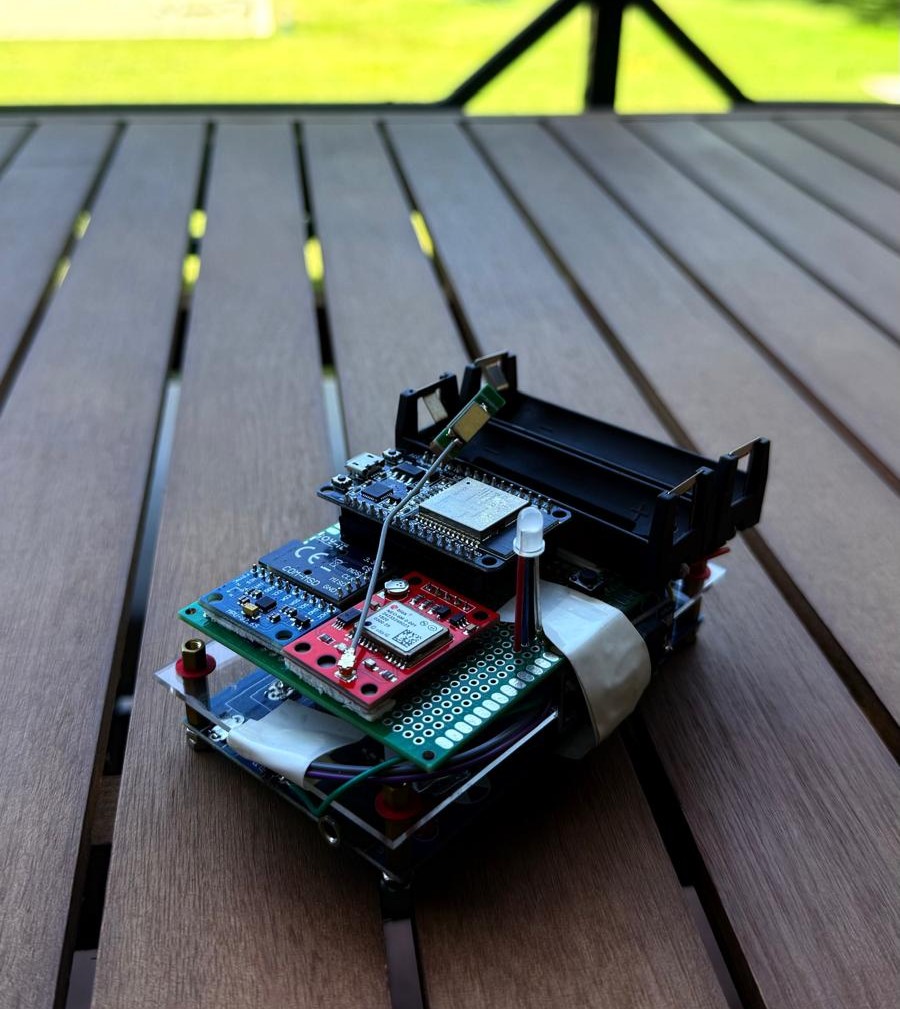
This week we added a key upgrade to the prototype focused on user interaction and data handling: a button, a status LED, and a new operating mode for data offloading.
What We Added
We integrated a physical push button and an LED indicator directly into the system. The LED provides immediate visual feedback on the device state, while the button allows the user to interact with the prototype in a more flexible way.
New Mode Control
The button is now used to switch between different operating modes of the prototype. This gives us more control during testing and future field use, allowing the system to behave differently depending on the situation (for example, measurement mode vs. data management mode).
Data Offload After Flight
One of the most important additions is the ability to offload collected data after a flight. Instead of continuously transferring data during operation, the system now stores measurements locally and allows them to be downloaded once the flight is completed. This makes the system more robust and reduces the risk of interruptions during data collection.
The Result
With the button, LED, and mode system in place, the prototype is becoming much more user-friendly and closer to a deployable instrument. We now have clearer control over its state and a more reliable workflow for handling collected data.
The prototype keeps evolving.