Industrial Automation Course at ULisboa
PLC Digital Signals Oscilloscope
2025 José Gaspar
Introduction
This webpage has the purpose
of providing one coding example where one PLC stores samples of digital signals
in its memory and those signals are displayed by a remote PC within a time
evolving window. The display is realized with a Matlab function, running in the
PC, that uses the ethernet connection to poll the memory of the PLC. The
connection protocol is Modbus.
Requirements
This implementation
of the digital signals oscilloscope assumes it is installed the Modbus Matlab
interface as provided by the Industrial Automation Course at ULisboa.
Unity
Pro and Matlab
Download
the Unity Pro project stored in the zip file
and unzip
it. After downloading and unzipping the project, compile and transfer the
project to a simulated PLC (part of Unity Pro). In this PLC program, to have
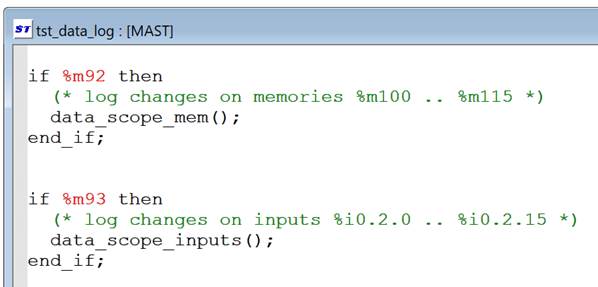
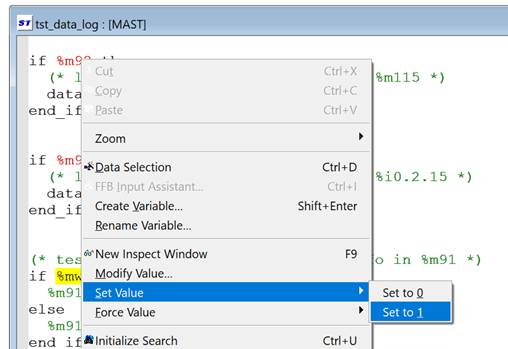
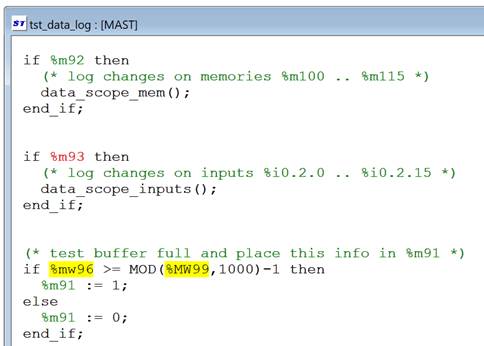
digital signals saved in the PLC memory one needs to set true variable %m92,
see Figure 1.
|
(a)
Variable
%m92 needs to be set 1 in order to have data logging. |
|
|
(b)
Set
the variable with a right click. |
(c) Note
%m92 has a green color indicating it is set. |
|
Fig.1:
Logging of digital signals has to be enabled, as otherwise those signals will
not be visible using Modbus. |
|
Having the
PLC running its code and saving data in memory to be accessed with Matlab, then
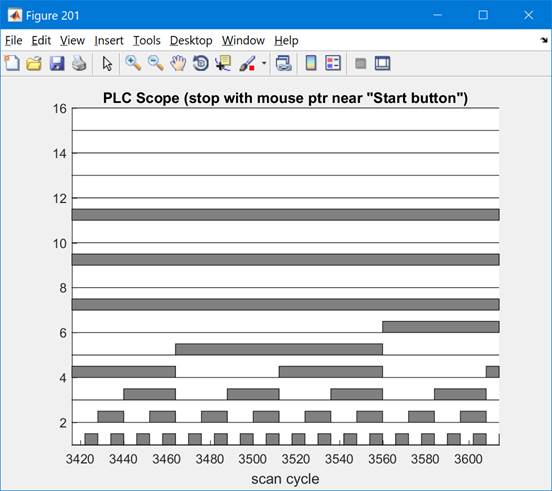
one runs the Matlab function data_scope_show.m. to display time evolving digital signals as
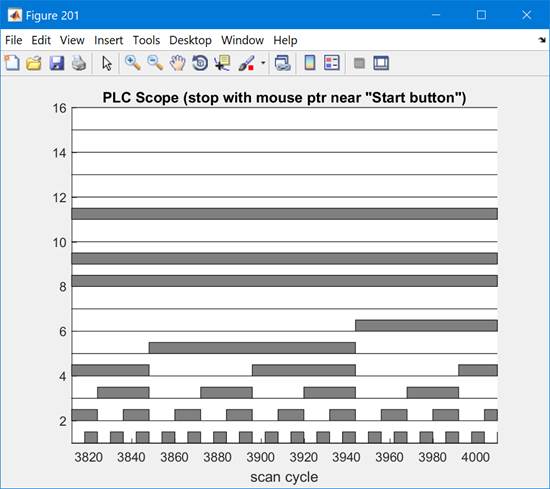
saved by the PLC. Figure 2 shows signals created by the PLC program. In this
example the PLC is counting using a decimal variable and that decimal variable
is interpreted as a collection of 16bits. Each bit is displayed along a time
window.
|
(a) Scan cycles 3410 - 3620, approx. |
(b) Scan
cycles 3810-4010, approx. |
|
Fig.2:.Two
different time windows (a, b). The counting in (b) is higher as shown by eight
bit which is ON now and was OFF before. |
|
Both the
PLC and Matlab run circular buffers to keep constant the memory usage and
approximately constant computational requirements from the beginning.
Maintenance
The
software offered on this webpage was created for the purpose of being used in
classes. There is no continuous maintenance other than the requirements
associated to the classes.
This
program is distributed in the hope that it will be useful, but without any
warranty; without even the implied warranty of merchantability or fitness for a
particular purpose.
Acknowledgment
In
case you find this software useful and do any publication in the sequel please
refer to the course Industrial
Automation at Instituto Superior Técnico, Universidade
de Lisboa, Portugal.
Contact
|
Prof. José Gaspar Instituto de Sistemas e Robótica, Instituto Superior Técnico, Torre Norte Av. Rovisco Pais, 1 1049-001 |
Office: Torre Norte do IST, 7.19 |